Rank number three, get more clicks than the page sitting at number one. It happens more often than most beginners assume, and it's usually not luck. It's a title tag, a meta description, or a snippet element doing its job while the "better ranked" page just sits there looking bland in the search results.
That gap between ranking and clicking is what this article is about. If you've ever checked Google Search Console and noticed decent impressions but a click number that makes you wince, you already know the problem. You don't need more rankings right now. You need more people to actually tap on the result that's already showing up.
I'll walk through this the way I'd explain it in a classroom session at online classes — starting with what click-through rate really measures, why it quietly decides how much traffic your rankings actually convert into, and then the practical, slightly boring work of fixing it.
What is Organic Click-Through Rate?
Search Console will show you two numbers side by side — impressions and clicks. Divide clicks by impressions, multiply by 100, and that percentage is your organic CTR for that query or page. Simple math. The confusing part for beginners is understanding what it's actually telling you.
A high CTR at a low position can mean your title and description are doing something the top three results aren't. A low CTR at position one, on the other hand, is a warning sign — it means people are seeing your page and choosing not to click it, which is a different and honestly more uncomfortable problem than not ranking at all.
CTR isn't the same everywhere either. Average click-through rates vary heavily by industry, by device, by whether the query is informational or transactional, and by how crowded the search results page is with ads, featured snippets, and "People Also Ask" boxes. There's no single "good CTR" number you should be chasing — anyone who tells you 5% or 8% is the universal benchmark is oversimplifying it.
Why It Matters
Here's the thing most beginners get backwards: they assume ranking is the finish line. It isn't. Ranking gets you visibility. CTR decides whether that visibility turns into an actual visitor.
There's a second, less obvious reason to care. Google does pay attention to how searchers behave with your listing over time, and pages that consistently get ignored at their current position can struggle to hold or improve that position. It's not a simple "low CTR = penalty" formula — nobody outside Google knows the exact weighting — but treating CTR purely as a vanity metric misses half the picture.
And for small business owners specifically, this matters in a very direct way. If you're running a local shop and you rank #4 for "best bakery in Meerut" but your snippet is generic and your competitor's mentions same-day delivery and a rating right there in the description, guess who gets the call.
How Organic CTR Actually Works
A search results page is basically a shelf, and your listing is one product on it. Shoppers scan a shelf in seconds. They're not reading — they're pattern-matching. The searcher's eyes move across titles first, then descriptions, then any extra elements like star ratings, prices, or FAQ dropdowns, deciding almost instantly whether a result answers their exact question.
Three elements do most of the heavy lifting:
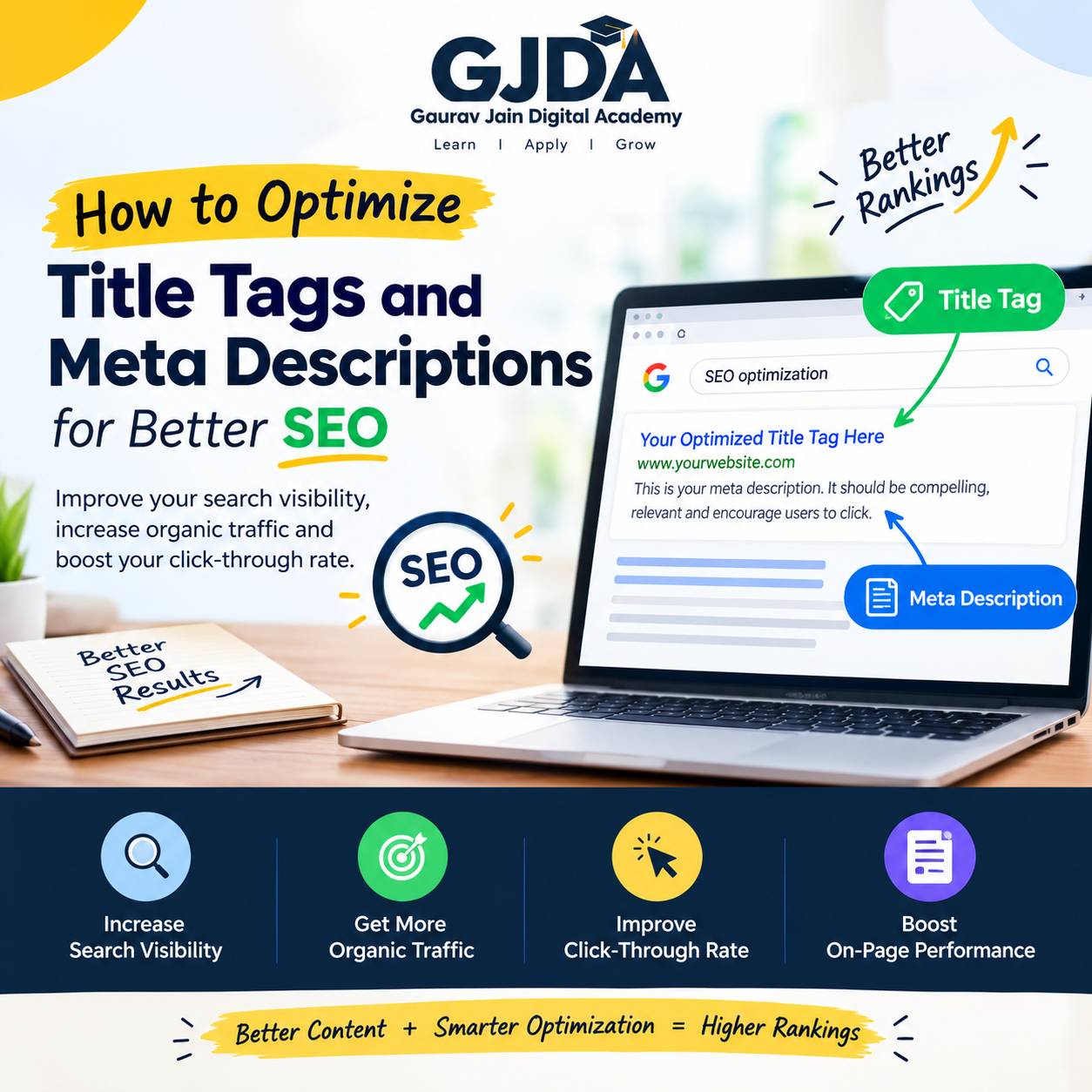
- The title tag — this is the blue clickable headline, and it needs to match search intent almost word for word, not just contain the keyword somewhere.
- The meta description — Google rewrites this roughly half the time based on the query, but when it doesn't, a well-written one gives searchers a reason, not just a topic.
- Structured data and SERP features — star ratings, FAQ rich results, breadcrumbs, and recipe or product markup can make a listing visually heavier on the page, which pulls the eye even from a lower position.
It's worth being honest here: sometimes none of this matters as much as position itself. Position one on mobile, where the screen is small and thumbs are lazy, can pull clicks almost regardless of how average the title is. That's just how attention works on a phone. So don't treat CTR optimisation as a replacement for actually improving rankings — treat it as the layer on top.
A Practical (Hypothetical) Example
Say a small business sells handmade candles and ranks at position 5 for "scented candles online India." The existing title reads something generic like "Scented Candles – ABC Store." Bland. Doesn't answer anything.
A rewritten title might read: "Scented Candles Online India – Handmade, COD Available." Same page, same ranking position, completely different promise. It tells the searcher three things instantly — what it is, where it ships, and that they don't need to pay upfront. That's not a trick. It's just answering the unspoken questions a buyer has before they even click.
This is roughly the same principle covered in a related breakdown on how local businesses improved rankings and customer growth through targeted local SEO changes — small, specific edits to what a searcher sees before clicking, not a full website rebuild.
Benefits of Improving Organic CTR
More traffic without new rankings is the obvious one, and it's genuinely valuable because it's essentially free — you're not paying for ads, you're just getting more out of positions you already hold. Beyond that:
- Faster results than pure ranking work. A title and description rewrite can be tested and see movement in Search Console within a couple of weeks, while building authority to move up five positions might take months.
- Better-qualified visitors, because a specific, honest snippet filters out people who weren't going to convert anyway.
- Compounding effect on rankings over time in many cases, though again, I want to be careful not to oversell this — it's a contributing signal among many, not a guaranteed lever.
Challenges You'll Run Into
Google rewriting your meta description is probably the most frustrating one for beginners. You write a perfect 155-character description, and Google shows something pulled from your body content instead. This happens when Google's system decides another snippet answers the specific query better — and there's genuinely limited control here beyond writing clear, relevant on-page content that gives Google good material to pull from.
Testing is slower than most people expect. You can't A/B test organic titles the way you'd test an ad headline. You change it, wait for re-crawling, then wait again for enough impression data to mean anything statistically. For a low-traffic page, that could take a month or more.
Then there's the crowded SERP problem. If your target keyword triggers a featured snippet, a "People Also Ask" box, three ads, and a map pack, your organic listing might be sitting so far down the page that even a great title barely helps. Sometimes the honest answer to "how do I improve CTR for this keyword" is that the SERP layout itself is working against you, and the better move is choosing a different keyword entirely.
Common Mistakes Beginners Make
Stuffing the keyword into the title twice. It doesn't help, and it often makes the title read like it was written for a machine instead of a person — which, ironically, machines are now quite good at detecting too.
Writing descriptions that describe the page instead of the benefit. "This page covers tips for organic CTR" tells the reader nothing they didn't already know from the title. Compare that to something that states what they'll walk away with.
Ignoring mobile truncation. Titles get cut off around 60 characters on most devices, descriptions around 155-160. Write something brilliant that gets chopped mid-sentence on a phone screen, and you've wasted the effort.
Copy-pasting the same meta description template across dozens of product or blog pages. Search engines notice duplicate patterns, and more importantly, so do searchers scanning results — near-identical listings blur together and none of them stand out.
Best Practices That Actually Move the Needle
Match the title to search intent first, keyword second. If someone's searching "how to improve organic CTR," they want a guide, not a product page — so a title promising a course sale over an actual answer will underperform even if it's technically keyword-optimized.
Use numbers, brackets, or a year where genuinely relevant — "[2026 Guide]" or "(Step-by-Step)" — but only when it's true and adds real information, not as a decoration.
Front-load the important words. Since titles get truncated, put what matters in the first 50-55 characters rather than saving the good part for the end.
Write meta descriptions like a one-line pitch, not a summary. Include a soft call to action — "see the full breakdown," "compare your options" — since it nudges the click without sounding like an ad.
Add schema markup where it fits naturally — FAQ schema, review schema, breadcrumb schema. These can add visual elements to your listing that a plain blue link simply can't compete with.
| Element | What Searchers Notice First | Typical Character Limit |
|---|---|---|
| Title Tag | Does it match my exact question? | ~55-60 characters visible |
| Meta Description | Is there a reason to click over the other results? | ~155-160 characters visible |
| Rich Results (FAQ, Review Stars) | Visual weight, credibility signals | Varies by schema type |
Useful Tools for CTR Optimisation
Google Search Console remains the primary source — it's the only place giving you real impression and click data tied to your actual rankings, not estimates. Check the Performance report, filter by page, and sort by impressions to find pages with traffic potential but weak CTR.
A SERP preview tool (several free ones exist online) helps you see roughly how your title and description will render before publishing, including truncation.
Schema markup generators or plugins, depending on your CMS, make adding structured data far less technical than writing it by hand.
If you're working with a large e-commerce catalogue rather than a handful of pages, the scale of this problem changes quite a bit — worth looking at how sellers approached it in this piece on increasing sales on Flipkart through ranking and listing strategies, since marketplace listings live and die by the same click-through logic, just inside a different search box.
Career Opportunities Around This Skill
CTR optimisation sits inside the broader SEO specialist role, but it also overlaps with content writing, conversion rate optimisation, and increasingly, AI-assisted search optimisation as answer engines change how results are displayed. Businesses hiring for SEO roles today generally expect at least a working understanding of Search Console data, not just keyword research.
It's a genuinely practical skill to build early, because unlike some technical SEO work, you can test and see the effect of your own changes on a personal blog or a small client site within weeks. For anyone considering this as a career direction rather than a one-off skill, it helps to explore the course structure to see how CTR work fits alongside the rest of technical and on-page SEO training.
Practical Assignment
Open Search Console (or set it up if you haven't — it's free) and pull the Performance report for the last three months. Sort by impressions, descending. Pick the five pages with the highest impressions but a CTR under 2%. For each one, rewrite the title and meta description using the intent-matching approach covered above. Note the current CTR next to each page before you make the change, then check back in three to four weeks and compare. Don't touch more than five pages at once — you want to be able to tell which specific rewrite actually worked.
Frequently Asked Questions
What is a good organic CTR?
There isn't one universal number. It depends heavily on position, industry, and query type — a branded search term might see 30%+ CTR at position one, while a competitive informational keyword might average under 3% even at the top. Compare your own pages against each other rather than chasing an outside benchmark.
Does changing the title tag affect my ranking position?
Not directly in most cases, though an intent-mismatched title can indirectly hurt rankings if it leads to poor engagement signals. Generally, expect title changes to affect clicks first and rankings, if at all, only as a secondary effect over time.
How long does it take to see CTR improvement after a change?
Usually two to four weeks for Google to re-crawl and for enough impression data to accumulate for a meaningful comparison. Lower-traffic pages take longer simply because they get fewer impressions per week.
Why does Google rewrite my meta description?
It happens when Google's algorithm decides a different snippet — often pulled from your body content — answers the specific search query more precisely than your written description. Writing clear, well-structured content throughout the page reduces this, but it can't be fully controlled.
Can I improve CTR without touching rankings at all?
Yes, and this is really the core idea of this entire article — title and description optimisation, plus structured data, work independently of ranking position, though naturally a higher position with a strong CTR compounds better than either alone.
Is CTR a confirmed Google ranking factor?
Google has never confirmed CTR as a direct ranking factor in the way backlinks or content quality are. Most SEOs treat it as an indirect behavioural signal rather than something Google plugs straight into its algorithm — treat any claim of a precise CTR-to-ranking formula with some skepticism.
Does emoji use in titles help or hurt CTR?
It genuinely depends on the industry and audience. It can stand out and lift clicks for lifestyle, food, or entertainment content; it can look unprofessional for B2B, legal, or finance queries. Test it on a small scale before rolling it out across a site.
Should every page have a unique meta description?
Yes. Duplicate descriptions across pages waste the opportunity to differentiate in the results and can look repetitive to both Google and searchers browsing multiple results from the same site.
How does AI Overview or featured snippets affect organic CTR?
They tend to push traditional organic results further down the page, which generally reduces CTR for lower positions on that query — a trend worth tracking as AI-generated summaries become more common in search results. This is part of a broader shift covered in more depth in this look at how artificial intelligence is reshaping modern search optimisation.
Can tools automate CTR testing across many pages?
Partially. Some workflows combine Search Console data pulls with automated alerts for underperforming pages, though the actual rewriting still benefits from human judgment about intent and tone — this kind of automated-but-supervised setup is discussed further in a guide on building an AI-powered marketing workflow to automate parts of a campaign.
Conclusion
Improving organic CTR isn't glamorous work. It's mostly rewriting a title, checking it against real search data a few weeks later, and repeating that process across your highest-impression pages. No dramatic algorithm hack, no shortcut — just paying closer attention to what a searcher actually sees before they decide whether your page is worth their time.
If you're a student or a working professional wanting to build this as an actual skill rather than a one-time fix, structured practice with real Search Console data tends to teach it faster than reading alone. That's really what a good Gaurav Jain Digital Academy curriculum session on this topic focuses on — not theory, but going through actual listings and fixing them one at a time until it becomes second nature.